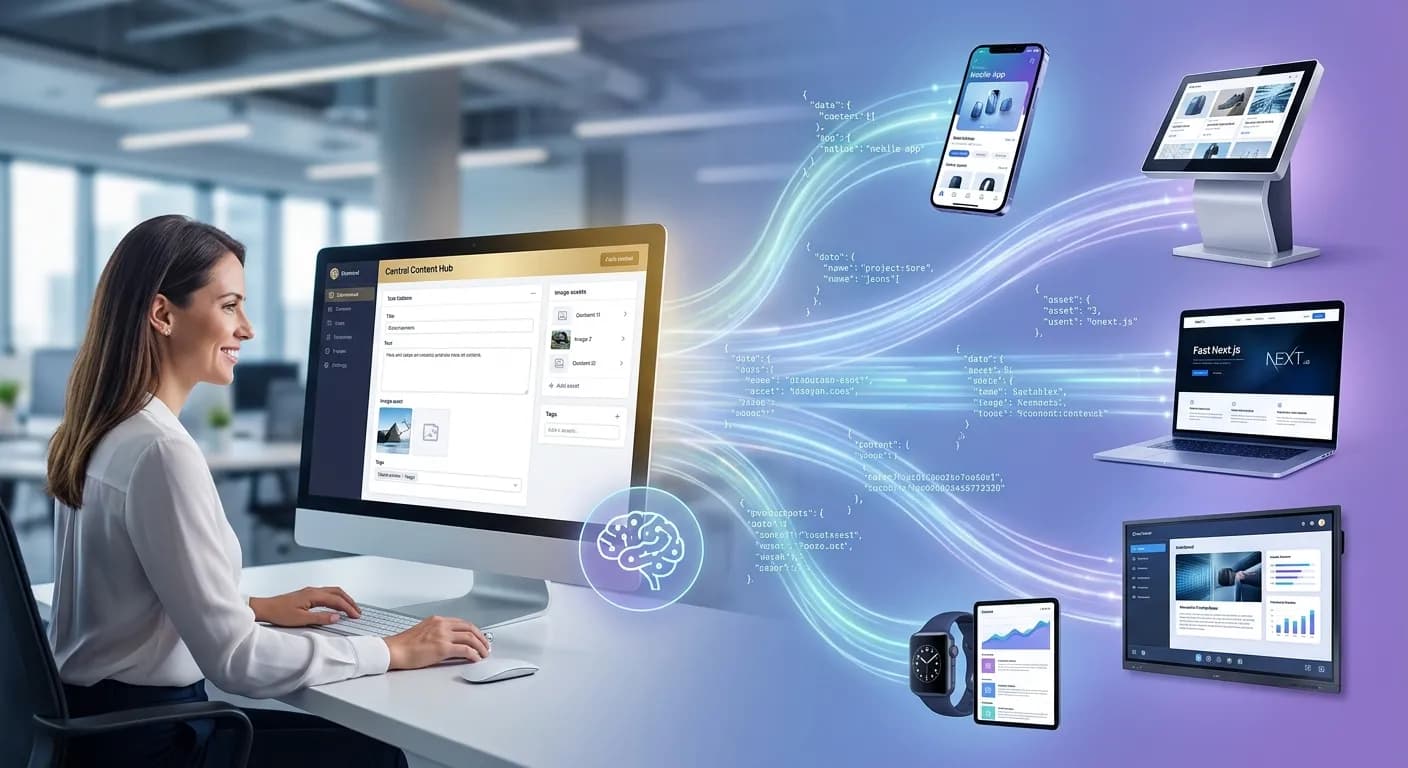
Most websites on the internet are built on the same legacy architectural principle: content (text, product catalogs, metadata, images) lives in the database of the content management system (CMS), and the system itself generates and renders the HTML pages that the end user's browser displays. WordPress is the classic, dominant example of this phenomenon — its admin panel (backend) and visual theme (frontend) are monolithically and tightly coupled into one inseparable whole.
This monolithic approach worked excellently for decades. Until at some point it simply stopped being effective.
When a modern business starts to grow, scale its digital infrastructure and add new communication and sales channels — such as a mobile app (iOS and Android), an interactive kiosk for physical locations, a B2B partner portal, smartwatches or digital displays in showrooms — the traditional monolithic CMS requires building and maintaining an entirely separate system for each individual channel. That means a separate team of software engineers, a separate database, duplicated information and a slow, error-prone update process for every small change.
Headless CMS architecture solves exactly this critical business and technical problem. In 2026, this technology has finally transformed from a niche, experimental solution for enterprise corporations into an industry standard for ambitious, fast-growing digital projects.
Deep technical explanation: What is a Headless CMS
The term "Headless" literally means "without a head". In the context of software engineering and web development, the "head" is the frontend (the visual presentation layer of the site that users see and interact with), and the "body" is the backend (the data store, admin panel and database). Therefore, a Headless CMS is a content management system that is completely separate, isolated and independent from the presentation layer. To understand the difference in depth, let's analyze the data lifecycle in both models:
Lifecycle in a traditional (monolithic) CMS:
- The editor enters text and uploads an image in the WordPress admin panel.
- The data is saved to a MySQL database.
- When a user visits the website, the server executes PHP code, queries the database, retrieves the content and "stuffs" it into the predefined WordPress theme.
- The server assembles a finished HTML file and sends it directly to the browser.
Result: Content is hard-coded and formatted for display solely as a web page for that specific site.
Lifecycle in Headless CMS architecture:
- The editor enters the same information in the admin panel of the Headless platform (for example Payload CMS or Sanity).
- The data is stored in raw, unstructured or structured form (usually as a clean JSON object).
- The system does not care how that content will look visually. It simply exposes it through a secure, fast and optimized programmatic interface — API (REST API or GraphQL).
- Every digital consumer (a website built with Next.js, a Flutter mobile app, a smartwatch or a display) makes a software request to this API endpoint, downloads the clean JSON and renders it in its own individual way, perfectly optimized for the respective screen.
This difference may look narrowly specialized and purely technical at first glance, but the practical and financial consequences for long-term business development are enormous.
The real problem Headless CMS solves
Let's look at an extremely common practical scenario from local and international business reality: You own a growing e-commerce brand or manufacturing company with an online catalog of 5,000 to 10,000 products. All technical descriptions, price lists, stock levels and high-quality images live in a standard WordPress installation combined with WooCommerce. Your business strategy requires launching a native mobile app to increase customer loyalty and make ordering from phones easier. Since your WordPress theme cannot generate a mobile app, you face two complex and inefficient paths: either build an entirely new, separate data store and hire a team to synchronize the platforms through complex scripts, or try to "squeeze" data from WordPress's sluggish base API, which often leads to performance and security problems. After a few months you decide to install interactive digital screens (kiosks) in your physical showrooms in Plovdiv and Sofia so customers on site can browse full product specifications. That requires a third software system. Later the need arises for a closed B2B portal for distributors and partners with individual pricing — a fourth independent system.
The result of monolithic thinking:
- ✓When the price or technical description of a product changes, your content manager must manually update it in 4 different places.
- ✓When a new item is added, the entire process of uploading and formatting media files is repeated four times.
- ✓When launching a large promotional campaign, complex, time-consuming and risky coordination between four separate software teams and systems is required. The risk of price mismatches between the site and the app becomes enormous.
The solution through Headless CMS:
Headless architecture completely overturns this outdated and inefficient logic. You create, edit and store product information exactly once in the centralized headless backend. From there on, thanks to the API-first approach, that description is automatically updated in real time everywhere simultaneously: on the corporate website, in the mobile app, on the digital screen in the showroom and in the B2B distributor portal. All software platforms draw information from the same crystal-clear and protected source of truth.
Traditional CMS vs Headless CMS: Detailed comparison
To make an informed strategic decision for your next software investment, it is important to compare the two models against key business metrics:
| Comparison criterion | Traditional (Monolithic) CMS | Headless CMS Architecture |
|---|---|---|
| Content structure | Tightly coupled to design, theme and HTML presentation. | Fully independent, stored as clean data (JSON/XML). |
| Omnichannel | Limited mainly to the website. Difficult integrations with external applications. | Content delivery to absolutely every channel with an available API. |
| Design and frontend freedom | Limited by the theme architecture, plugins and CSS framework of the system. | Full, unlimited freedom. Frontend engineers build the interface from scratch. |
| Update speed | Often requires changes in each digital channel separately. | Single entry in the central panel — instant reflection everywhere. |
| Development speed | Very fast at the start for standard websites and ready-made templates. | Requires more time at launch, but is drastically faster when scaling. |
| Vendor lock-in | Strong dependence on the platform ecosystem (e.g. PHP/WordPress plugins). | Zero dependence. You can change the entire frontend without touching the data. |
| Popular technology examples | WordPress, Joomla, Drupal, Shopify (standard version). | Payload CMS, Sanity, Contentful, Strapi, Directus. |
When Headless CMS is the right choice for your business
Moving to Headless architecture requires an investment of resources, time and software expertise. It is not necessary for every project on the market. However, there are several clear and specific architectural and business signals where implementing a headless system becomes the most justified and profitable long-term decision:
1. Multi-channel digital presence strategy (Omnichannel)
If your business model requires your content to live beyond the boundaries of the standard web browser — for example you are developing a web platform and native mobile apps for iOS and Android simultaneously, or you plan integration with IoT devices, smart systems and external partner platforms — Headless is the only logical software path.
2. Extremely high publishing frequency and complex editorial workflow
For large media sites, news portals, magazines or serious marketing departments where dozens of authors, editors and proofreaders publish hundreds of pieces daily, it is critically important for the editorial process to be fully isolated from the technical maintenance of the site. With Headless CMS, editors work in an exceptionally clean, fast and focused environment that cannot "break" the design or functionality of the site, regardless of what changes they make to the text.
3. International presence and large-scale localization
If you manage a brand operating in multiple international markets, requiring multilingual support, specific regional currencies, tax rates and localized content for different countries — Headless architecture allows you to maintain one central content database while serving completely different, localized frontend applications (websites) for individual countries, optimized for local user habits.
4. Uncompromising speed and performance requirements (Core Web Vitals)
In the era of ultra-fast internet, every millisecond of delay when loading a site leads to direct customer loss and lower conversions. Traditional systems often suffer from so-called "code bloat" due to dozens of installed plugins. Headless CMS, combined with a modern frontend framework like Next.js, generates pages in advance at server level or during the build process. The user receives ultra-fast, lightweight and pre-rendered code, which shoots your results into the green zone on Google PageSpeed Insights.
5. Scalable and high-traffic e-commerce platforms
When your online store processes thousands of orders simultaneously and contains a huge catalog of tens of thousands of products with dynamically changing stock levels, monolithic architecture begins to experience serious difficulties and requires expensive server resources. Separating the heavy transactional backend from the light and fast visual frontend ensures your site will not crash during Black Friday or major seasonal sales.
When traditional CMS remains the better and more pragmatic choice
As software engineers, we at Singularity Edge Studio believe in pragmatism and balance, not blind following of technology trends. Headless architecture has enormous advantages, but it is not a silver bullet for absolutely every case. Here is when the traditional monolithic approach (like standard WordPress) remains the more reasonable business decision:
1. Small, static or brochure websites
If you own a local business, law firm, medical practice or small studio and need a corporate brochure site with 5 to 15 pages (Home, About, Services, Contact) that you update once every three months — building Headless architecture is absolutely unjustified. The architectural overhead, the need to set up separate hosting environments and more complex maintenance will far exceed any benefits you would gain.
2. Severely limited budgets for initial launch
Headless development by definition requires a higher initial financial investment. Since you are building two separate systems (backend store and custom frontend application), the software hours for design, coding and testing are greater. If you are a startup with a minimal budget, it is better to invest your funds in marketing and product validation using standard WordPress, Shopify or a ready-made SaaS solution.
3. Building a fast MVP (Minimum Viable Product)
When your main goal is to go to market as quickly as possible — within a week or two — to test a new business idea or hypothesis, traditional CMS gives you a huge advantage. Ready-made themes, the ecosystem of ready plugins and quick installation allow you to launch immediately. Once the idea proves profitable and starts generating serious traffic and revenue, you can then plan a large-scale migration to stable Headless architecture.
4. Non-technical teams accustomed to visual "Page Builders"
If your marketing team or the people maintaining your site have no technical knowledge and are used to changing page design daily through visual drag-and-drop tools (like Elementor, Divi or WP Bakery), moving to pure Headless CMS can lead to serious internal frustration. Most Headless platforms focus on structuring data, not visually "painting" it. This requires a change in the team's mindset and workflow.
Detailed overview of popular Headless CMS platforms in 2026
The headless systems market is exceptionally mature and competitive, with platforms divided into several main categories depending on architecture, licensing model and specific project needs:
                  ┌────────────────────────────────────────┐
                  │         HOSTING AND LICENSING          │
                  └───────────────────┬────────────────────┘
                                      │
             ┌────────────────────────┴────────────────────────┐
             ▼                                                 ▼
  ┌─────────────────────┐                           ┌─────────────────────┐
  │     SaaS MODEL      │                           │   SELF-HOSTED /     │
  │ (Cloud platforms)   │                           │     OPEN-SOURCE     │
  └──────────┬──────────┘                           └──────────┬──────────┘
             │                                                 │
      ┌──────┴──────┐                                   ┌──────┴──────┐
      ▼             ▼                                   ▼             ▼
┌───────────┐ ┌───────────┐                       ┌───────────┐ ┌───────────┐
│Contentful │ │  Sanity   │                       │  Strapi   │ │  Payload  │
└───────────┘ └───────────┘                       └───────────┘ └───────────┘
Contentful: The leader for enterprise projects
Contentful is one of the oldest, most stable and proven platforms on the market. It operates entirely as software as a service (SaaS) — i.e. hosting of the system itself and the database is fully handled by Contentful, and you access your content through their highly optimized global API (Content Delivery API).
- ✓Advantages: Exceptionally powerful ecosystem, perfect security levels, detailed user rights and role management, intuitive interface for large teams.
- ✓Best for: Large corporations, international brands and projects requiring guaranteed uptime (SLA) and serious technical support. There is a free plan, but premium plans have enterprise pricing.
Sanity: Full flexibility and real-time collaboration
Sanity.io has established itself as an exceptionally popular platform for both software developers and fast-growing digital agencies. Its unique architecture consists of two elements: Sanity Studio (the editing interface, which is open-source and written in React) and Sanity Content Lake (the cloud data store).
- ✓Advantages: Incredible flexibility in defining complex data structures and fields. Outstanding real-time collaboration feature (similar to working in Google Docs — you see who is writing where at the moment). Great software support for queries through their own GROQ language or standard GraphQL.
- ✓Best for: Projects with non-standard content types, interactive platforms and teams that value a customized and convenient admin panel design.
Strapi: The king of open-source and self-hosted model
Strapi is the most popular open-source headless system, written entirely in Node.js. Unlike Contentful and Sanity, Strapi gives you full freedom to download the system code and host it on your own server (for example on AWS, DigitalOcean, Hetzner or your own infrastructure center).
- ✓Advantages: Full ownership and absolute control over data (critically important for businesses bound by strict privacy regulations such as GDPR or banking standards). No artificial software limits on number of records, users or traffic — everything depends solely on your server capacity.
- ✓Best for: Medium and large businesses with their own DevOps engineers, wanting to save on monthly SaaS plan fees and keeping their data from leaving their own corporate network.
Payload CMS: The modern TypeScript-native standard
Payload CMS is the software discovery of recent years and is currently experiencing explosive growth in web development. It is designed as a TypeScript-native headless platform distinguished by exceptionally tight and deep integration with modern web technologies.
- ✓Advantages: Payload can be embedded directly into your Next.js project's codebase. This means your backend and frontend can live in the same place (monorepo), share common TypeScript types and deploy together to platforms like Vercel with a single click. It has phenomenal performance, uses modern databases like PostgreSQL or MongoDB and provides an exceptionally fast and modern admin panel for editors.
- ✓Best for: This is our primary technology choice at Singularity Edge Studio when building new projects from scratch. It provides the perfect balance between full code ownership, no hidden SaaS fees and brutal development speed.
WordPress as Headless (Decoupled WordPress)
Many businesses do not realize that it is not mandatory to completely discard their current WordPress installation to move to Headless architecture. By enabling the built-in REST API or installing the powerful WPGraphQL plugin, WordPress can be successfully transformed into a Headless CMS backend.
- ✓Advantages: Your marketers and authors continue working in the exact same familiar and beloved WordPress interface they have used for years. No need to retrain staff. At the same time, the old slow WordPress theme is completely removed and the frontend is built from scratch with Next.js, pulling data programmatically.
- ✓Best for: Companies with a huge existing investment in WordPress — thousands of published articles, complex internal text approval systems and staff who do not want to learn new software, but the business requires drastic improvement in site speed and security.
Headless CMS and Next.js — The natural software symbiosis
When we build Headless architecture, the choice of frontend technology is just as critical as the choice of CMS itself. In 2026, the Next.js framework (created and maintained by technology giant Vercel) has established itself as the undisputed global industry standard. The combination of Headless CMS and Next.js is not just a modern trend — it is perfect engineering fit that solves the main problems of the modern web:
Static Site Generation (SSG) for brutal performance
In traditional web, the server must assemble the page at the moment the user clicks on it. That takes time. Next.js changes this entirely through Static Site Generation. During the so-called "build process" (when we submit code for publication), Next.js makes a software request to the chosen Headless CMS, downloads absolutely all content, articles and products, and pre-generates ready, static HTML and CSS files for every single page. When a real customer visits your site, these files are served instantly, without any delay, directly from a global content delivery network (CDN). Opening speed is identical to opening a folder on your own computer — under 100 milliseconds.
Incremental Static Regeneration (ISR) — The solution for large catalogs
The common argument against static sites in the past was: "If I have 20,000 products and change the price of one of them, do I have to wait 30 minutes for the entire site to recompile?" Next.js solves this problem through Incremental Static Regeneration (ISR) technology. ISR allows the website to update a specific static page in the background the moment a change occurs in the Headless CMS, without affecting or requiring regeneration of the remaining pages on the site. Users always see current prices and stock levels without losing the advantage of brutal static HTML speed.
┌─────────────────┐     1. Price change          ┌──────────────────┐
│   Headless CMS  ├───────────────────────────>│  Next.js (ISR)   │
└─────────────────┘                            └────────┬─────────┘
                                                        │
                                                        │ 2. Regenerate ONLY
                                                        │    this page
                                                        ▼
                                               ┌──────────────────┐
                                               │   Global CDN     │
                                               │ (Instant update) │
                                               └──────────────────┘
React Server Components (RSC)
Introduced as standard in modern versions of Next.js (App Router), React Server Components allow much of the heavy logic for data processing and retrieval from Headless CMS to happen entirely on the server. A minimal amount of JavaScript code is sent to the client's browser. This leads to a drastic reduction in load on users' mobile phones, lower battery and mobile data consumption, and perfect metrics for Time to First Byte (TTFB) and First Contentful Paint (FCP).
Global Edge Deployment
Next.js applications deploy directly onto "Edge" infrastructure (such as Vercel Edge Network or Cloudflare Workers). This means your website code does not live on a single physical server in Sofia or Frankfurt, but is replicated across hundreds of server nodes worldwide. When a user in London opens your site, data is served from a server in London. When a user in Plovdiv opens it — from the nearest Bulgarian or Balkan node. The result is a consistently lightning-fast user experience regardless of geographic location.
Deep dive into the API-First concept: Beyond the standard website
Implementing Headless CMS is actually the first and most important practical step toward adopting a much broader and strategic business philosophy — API-First architecture. In the traditional management model, the website is the center of the company's digital universe, and all other channels are viewed as side attachments requiring complex software "patches". With the API-First approach, thinking flips 180 degrees: your data and your content are the most valuable asset, and the website is simply one of many possible channels (clients) that consume that data. This gives rise to the principle COPE — Create Once, Publish Everywhere. Let's illustrate the scale of this concept through a real practical example: Imagine a large chain of gyms or medical centers. They need to publish current training schedules or doctor schedules, specialist profiles and service prices.
- ✓Without API-First approaches: The marketer changes a doctor's appointment time on the site. Then the software company maintaining the mobile app must reflect the change there. Finally the receptionist must manually update the schedule on the digital board at reception in the physical location.
- ✓With API-First approach through Headless CMS: The change is made in 10 seconds in the central admin panel. In the same second the website (Next.js) pulls the new data, the mobile app (iOS/Android) refreshes the information through the same API request, and smart TVs and digital screens in the center's waiting room, connected to the internet and reading the same JSON endpoint, instantly change the time on screen.
The human factor for error is completely eliminated, hundreds of hours of manual labor are saved monthly and the brand projects absolute consistency and professionalism to its customers.
Digital infrastructure security in Headless architecture
One of the biggest but often overlooked advantages of Headless CMS, strongly emphasized by modern cybersecurity experts, is the dramatic reduction in attack surface. Let's look at the traditional WordPress ecosystem: For a large monolithic site to function, it usually requires installing 20, 30 or even more external plugins for various functionalities (contact forms, SEO optimization, caching, security, galleries). Each of these plugins is written by a different developer with a different level of software literacy. Each plugin is a potential open door (vulnerability) for hackers. In addition, the WordPress admin panel (/wp-admin) is publicly accessible and subject to constant brute force attacks from bots on the internet. If a hacker compromises your site's frontend, they gain direct access to the database and can delete or steal all your customer information.
In Headless architecture things look fundamentally different and much more secure:
- Complete isolation: Your public frontend (Next.js website) is an entirely separate software application living on different infrastructure (for example Vercel Edge CDN). It contains no PHP code, has no direct connection to the database and does not execute heavy SQL queries. It is simply a collection of super-fast static or dynamic pages that read data through the API.
- Invisible administration: Your Headless CMS backend (admin panel) can be placed behind a secure private domain, protected with VPN, two-factor authentication (2FA) or IP restrictions, making it completely invisible and inaccessible to global internet traffic and hacking bots.
- Immunity to mass attacks: Even in the theoretical case where someone succeeds in carrying out a DDoS attack or compromising your site's visual frontend, the worst that can happen is the site temporarily stops displaying images or text. The database itself, user profiles, passwords and your corporate information remain completely untouched and protected in the isolated backend layer.
Important software note when choosing Headless WordPress: If you decide to use WordPress as a headless backend through WPGraphQL, you must pay serious attention to security. A publicly exposed GraphQL endpoint can be exploited for so-called GraphQL Scraping or Query Injection attacks. Your software engineers must configure strict access control (Authentication), limit query depth (Query Depth Limiting) and implement Rate Limiting to prevent potential server overload from malicious automated scripts.
Headless CMS and SEO — Debunking myths and real facts
In digital marketing circles, there long existed a serious concern and deep myth that moving to Headless architecture could destroy a site's organic search ranking: "If content is pulled programmatically through JavaScript API requests, won't Googlebot see an empty page and penalize us?" This concern was entirely real in the dawn of JavaScript frameworks (years ago), when Client-Side Rendering (CSR) was used predominantly (technology where the browser receives an empty HTML file and all content is rendered by JavaScript on the user's computer). Since Google bots have limited resources ("rendering budget"), they often did not wait for JavaScript code execution, leading to catastrophic results for SEO indexing. Today, with Next.js, this problem is completely and categorically solved, and SEO results with proper implementation are significantly higher than those of traditional WordPress. Here is why:
1. Server-rendered, perfect HTML code
When using Next.js in Static Site Generation (SSG) or Server-Side Rendering (SSR) mode, the entire software process of pulling data from Headless CMS and assembling the page happens long before the user or Google bot requests it. When Googlebot visits your website, it receives perfectly structured, clean, pre-rendered HTML code containing all text, links, headings (H1-H6) and meta tags. To the search engine, this site looks just as easy to read as the best-optimized classic site, but without the unnecessary heavy code of monolithic platforms.
2. Radical improvement in speed factors (Core Web Vitals)
Google officially announced that loading speed and user experience on mobile devices (measured through LCP, FID and CLS metrics) are a direct, critical ranking factor in search engines. Since the combination of Headless CMS + Next.js removes the need to execute heavy databases and sluggish plugins on every visit, speed metrics improve drastically. Sites load in fractions of a second, giving a huge boost in ranking compared to slow competitors in the niche.
3. Full software control over metadata and structured data (Schema Markup)
In good Headless platforms (like Payload CMS or Sanity) you can build exceptionally detailed, customized fields for SEO optimization. You can control generation of Open Graph tags for social networks, canonical URLs, alternative text for images and automated Schema structured content (for products, articles, reviews, FAQ). Frontend developers have full freedom to write semantically clean HTML code without unnecessary nested
Financial analysis and pricing when moving to Headless architecture
Investment in Headless architecture should be viewed through the lens of long-term return on investment (ROI). Budgeting for such a project consists of three main financial components that every business owner should plan carefully:
1. Monthly CMS platform costs (Licenses and Infrastructure)
| Selected Platform | Free plan features | Starting prices for paid plans |
|---|---|---|
| Contentful (SaaS) | Up to 5 users, 25,000 records, limited traffic. | From ~€300 / month (for fast-growing teams). |
| Sanity (SaaS/Hybrid) | Generous free plan, unlimited administrators, pay for excess resources. | From $15 per additional user/project when scaling. |
| Strapi (Open-Source) | Completely free in self-hosted model on your server. | Enterprise plans when official software support is needed. |
| Payload CMS | Completely free open-source software, no per-user fees. | You pay only for your standard server hosting. |
| Headless WordPress | 100% free open-source software. | Standard web hosting or VPS server costs. |
2. Initial investment for frontend development
This is the line item where costs are higher compared to traditional web design. With traditional WordPress the developer often uses a ready-made theme or visual builder, which speeds up the process. With Headless websites, frontend engineers build the application from scratch with Next.js, writing individual, high-quality code for every component. Approximately, the initial investment for building a Headless project is 30% to 50% higher compared to a traditional monolithic site with the same business logic.
3. Long-term hosting and maintenance costs
Here Headless architecture quickly begins to return the invested funds. Since the Next.js website consists mainly of static files served through CDN networks, server power requirements are minimal. Platforms like Vercel, Netlify or AWS offer exceptionally cheap (often completely free for medium projects) serverless plans for hosting frontend applications. You pay only for actually consumed traffic, not for maintaining expensive, powerful and constantly running VPS servers needed to handle heavy WordPress/WooCommerce traffic. Economic breakeven point: The financial investment in Headless turns seriously positive the moment your business adds its second or third digital channel. Instead of paying three separate amounts to build three independent backend systems for site, app and B2B portal, you invest once in one quality Headless CMS, then simply attach light and cheap frontend applications to it.
Frequently asked questions (FAQ) about Headless CMS
Can my editors and copywriters work in Headless CMS without technical knowledge?
Yes, absolutely. Modern Headless systems provide exceptionally clean, beautiful and intuitive admin panels. Platforms like Sanity and Contentful have interfaces that are even easier to understand and use than an old WordPress panel cluttered with plugins and ads. Our engineers at Singularity Edge Studio configure fields so your editors see only what they need for writing text, without any technical noise.
How exactly does Headless architecture handle e-commerce?
Headless e-commerce is one of the fastest-growing software categories in the world. You can combine a powerful Headless CMS for content and blog management with the Shopify Storefront API or BigCommerce Headless for cart, payment and order management. For specific B2B businesses and factories with complex pricing tiers, customized discounts and ERP system integration (such as SAP, NAV, or for the Bulgarian market — software like Microinvest or custom systems), the best solution is building a fully custom headless e-commerce engine with a Next.js frontend.
Is it mandatory to fully migrate from WordPress to Headless immediately?
No, it is not mandatory to take radical steps from day one. You can apply the exceptionally pragmatic and safe phased approach (Decoupled Strategy). You can keep your current WordPress as an admin panel so as not to disrupt your team's habits, but commission building a new, modern Next.js frontend that pulls information from it through the API. This way you get brutal speed and security immediately, and at a later stage, when the business is ready, you can migrate the backend itself to a more modern system like Payload CMS.
How long does actual implementation of such a project take?
For a brand new software project of medium complexity (for example a corporate site with an advanced product catalog or media platform), built on Payload CMS or Sanity combined with Next.js, standard time for development, design and final testing is between 4 and 12 weeks. For large-scale enterprise migrations of huge existing databases, time depends on the cleanliness of current code and the volume of information that must be transferred programmatically.
The future of web architecture: Composable Architecture
Understanding Headless CMS is impossible without mentioning the most important paradigm in modern software engineering in 2026 — Composable Architecture. In the past, businesses were forced to buy huge, heavy and sluggish software monoliths (called "All-in-One" systems, such as large Adobe Experience Manager installations, SAP Hybris or plugin-overloaded Magento sites). These systems try to do everything: manage text, process payments, run marketing automation, send emails and analyze traffic. The problem is that no single system can be best at everything. The business becomes hostage to one software vendor, and every change takes months and thousands of euros. Composable architecture completely destroys this outdated approach. With it, your digital ecosystem is built like a puzzle of tightly specialized, independent and best-in-class tools (Best-of-Breed) that communicate with each other through fast API connections:
                     ┌──────────────────────────┐
                     │   NEXT.JS FRONTEND LAYER │
                     └────────────┬─────────────┘
                                  │
         ┌────────────────────────┼────────────────────────┐
         ▼                        ▼                        ▼
┌──────────────────┐    ┌──────────────────┐    ┌──────────────────┐
│   Headless CMS   │    │ Headless Commerce│    │  Algolia Search  │
│(Payload / Sanity)│    │(Shopify API / ERP)│    │   (AI Search)    │
└──────────────────┘    └──────────────────┘    └──────────────────┘
- ✓For managing text and media content you use Headless CMS (for example Payload or Sanity).
- ✓For processing transactions and customer carts you use Shopify Storefront API.
- ✓For internal site search you implement a specialized AI system like Algolia.
- ✓For customer support and chat you integrate a specialized tool.
The main business advantage:
If after two years a new, much better e-commerce platform appears or you decide to change your payment provider, you can software-wise remove the old component from the puzzle and insert the new one, without having to rewrite the entire website from scratch and without losing your content. Your business becomes exceptionally adaptive, flexible and ready to respond to market changes in days, not months.
Strategic guide: How to move to Headless without disruption
If after everything you've read so far you see that your business has reached the point of development where monolithic WordPress is holding you back, here is what your pragmatic action plan developed by our engineering team should look like:
Stage 1: Detailed data audit (Data Modeling)
Before a single line of code is written, the structure of your information must be clearly defined. What types of fields do you have? How do products relate to categories, authors, technical specifications? This stage is critical because a properly designed data model in Headless CMS guarantees easy scaling over the next 10 years.
Stage 2: Choosing the right software stack
Depending on your security requirements, budgets and internal IT capacity, the platform is selected:
- ✓If you want zero monthly SaaS fees and full ownership — choose Payload CMS or Strapi.
- ✓If you want a fast start without server worries and strong collaboration — choose Sanity.
Stage 3: Visual design system development (UI/UX)
Our designers build a modern, unique design system for your brand, aligned with best practices for conversion and user experience. This design is handed to the frontend team, which codes it from scratch with Next.js using the most modern CSS methodologies (such as Tailwind CSS).
Stage 4: Software migration and automated testing
Through specially written scripts, the old database is cleaned of unnecessary code, formatted and automatically transferred to the new Headless CMS. Large-scale automated tests for performance, security and proper URL redirection (301 redirects) are conducted to ensure you will not lose a single position in Google when launching the new site.
How Singularity Edge Studio works with Headless CMS architectures
At Singularity Edge Studio we don't just build websites — we design and build long-term, fast and highly secure software solutions for business. Our tight specialization in Next.js development and modern software architectures allows us to help companies in Plovdiv and across the country carry out digital transformation that delivers real financial results. Our engineering preferences and proven solutions include:
- ✓Payload CMS + Next.js: Our absolute number one recommendation for projects requiring maximum website speed, TypeScript integration at the highest level and full code independence without paying monthly subscriptions to external cloud providers.
- ✓Sanity + Next.js: Our choice for complex web media, news sites and corporate platforms with rich, interactive content structures and large editorial teams requiring perfect real-time collaboration.
- ✓Decoupled Headless WordPress: The ideal, economically pragmatic solution for large existing online stores and blogs that want to leap into the future of web speeds without disrupting their established admin workflow.
We handle the entire process of planning, design, data migration and Edge deployment, ensuring that your transition from the old monolithic system to fast Headless reality will pass completely smoothly, securely and without a single second of interruption to your business operations.
// SINGULARITY EDGE STUDIO
Headless CMS architectures built for results
We design and build long-term, fast and highly secure software solutions for business — with tight specialization in Next.js and modern API-First architectures.
- Payload CMS + Next.jsMaximum speed, TypeScript integration, no monthly SaaS fees
- Sanity + Next.jsComplex media, editorial teams, real-time collaboration
- Decoupled Headless WordPressBrutal speed without disrupting workflow
Ready to unlock your business potential?
Stay ahead of the competition in speed, security and flexibility with Headless CMS architecture.
Request a free technical consultation →Conclusion
Headless CMS is not just another passing technology fad or expensive IT trend — it is a mature, logical architectural answer to the real business problem of the 21st century: how to manage your digital content effectively in a world where channels for communicating with customers are growing exponentially with every passing day.
For businesses with ambition for long-term scaling, their own mobile app, absolute data security or uncompromising loading speed — moving to headless architecture is not a luxury, but a strategic competitive advantage.
The question is not whether Headless is better than traditional CMS in an abstract sense. The question is whether your company's digital development has already reached the critical point where the freedom, security and flexibility of Headless architecture have become more valuable than the simplicity and limitations of the old monolithic approach.
// TOPICS
Author
Singularity Edge Studio
Engineering studio for web and software — Plovdiv, Bulgaria. We build corporate sites, SaaS, e-commerce, and DevOps infrastructure with a focus on measurable outcomes.
// RELATED FAQ
// MORE ARTICLES
Next.js vs WordPress — when to choose one over the other
An honest 2026 comparison: speed, security, CMS, cost and scalability — when WordPress is right, when Next.js wins, and when a headless combo makes sense.
Web DevelopmentPWA — Mobile App Without the App Store: Why Your Business Needs It in 2026
Progressive Web App transforms your website into a mobile app without the App Store — offline mode, push notifications, one codebase. Complete guide with architecture, comparison, pricing and implementation steps.
Web DevelopmentHow much does a website cost in Bulgaria in 2026
Concrete prices for landing pages, corporate websites, online stores and custom software — what drives the budget, hidden costs and how to pick a vendor without surprises.