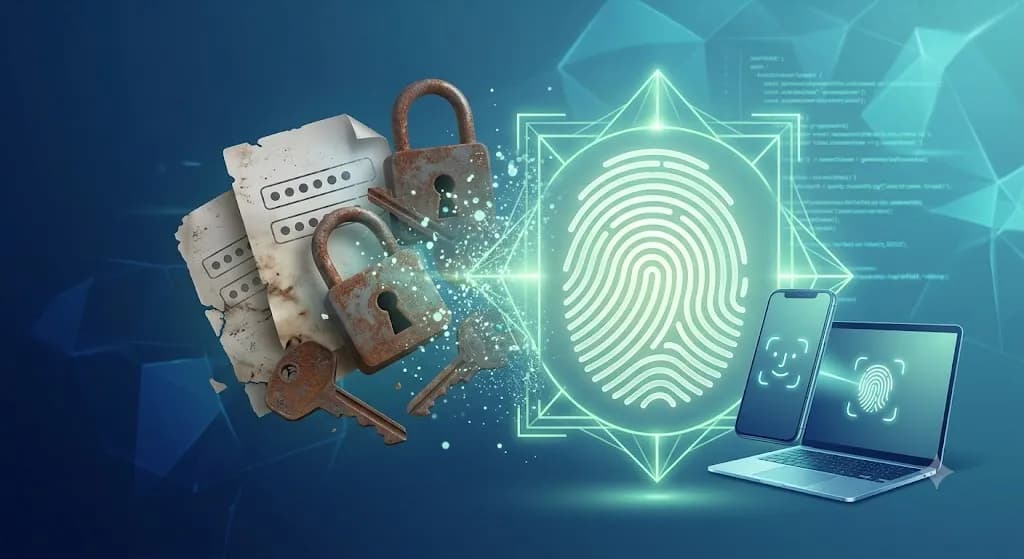
Passwords are the oldest, most compromised and architecturally weakest element in the security of modern web applications. Since the dawn of the shared internet, users have been forced to balance between two equally bad alternatives: either create extremely complex, impossible-to-remember strings of characters, or use easy, repeated combinations written on sticky notes around the monitor or in unprotected text files.
For hackers and cybercriminals, this human factor is a gold mine. Through phishing campaigns, dictionary attacks, credential stuffing and massive database leaks, billions of accounts are compromised every year.
The tech industry has been searching for a radical alternative for decades. Today, in 2026, that alternative not only exists — it has already become the new global authentication standard. Its name is passkeys.
After tech giants like Google made passkeys the default login method, statistics reported an unprecedented 352% increase in passkey logins worldwide. Platforms that actively promote the technology among their users see over 800% growth in adoption. Apple, Google, Microsoft, Amazon and PayPal have already reconfigured their ecosystems. The standard is fully mature, the infrastructure is ready, and users are rapidly getting used to the convenience. For modern businesses the question is no longer whether to support passkeys, but how quickly they can implement them before losing a competitive advantage.
What is a passkey: a deep technical and practical explanation
From the user's perspective, a passkey is a secure way to log into a website, mobile app or cloud service without entering any password. Instead of typing a username and secret word, the user uses the local biometric sensor on their device (fingerprint scan via Touch ID / Android Fingerprint, facial recognition via Face ID) or the local PIN for unlocking the screen. One glance at the camera or one touch of the sensor — and you're in.
Technically, however, behind this simple user experience lies an exceptionally solid architecture based on the open standard WebAuthn (Web Authentication API), developed by FIDO Alliance and W3C. Passkeys completely eliminate the concept of a "shared secret" (like a password) and replace it with asymmetric (public and private) key cryptography.
The magic of asymmetric cryptography under the hood
When a user registers or activates a passkey on a website, the following three-step cryptographic process is triggered:
- 1Key pair generation (Registration): The user's device generates a unique pair of cryptographic keys — a public key and a private key.
- 2Private key isolation: The private key is stored in the most protected hardware zone of the device (Secure Enclave on Apple or the TPM chip on Windows). It is encrypted, never leaves the device and the website itself has no access to it.
- 3Public key transmission: Only the public key is sent over the network and stored in the website's database. This key is useless to third parties without the private key.
[User Device]                                            [Site Server]
   |                                                            |
   |---- 1. Login request ------------------------------------>|
   |                                                            |
   |<--- 2. Send "challenge" -----------------------------------|
   |                                                            |
   |-- [User confirms with biometrics]                          |
   |-- [Private key signs the challenge]                       |
   |                                                            |
   |---- 3. Send cryptographic signature ---------------------->|
   |                                                            |
   |                                            [Verify signature with Public Key]
   |<--- 4. Successful login ----------------------------------|
When the user returns to the site to log in (Authentication), the server sends the device a random cryptographic string called a "challenge". The device requires biometric confirmation from the user to unlock the private key locally. After successful scanning, the private key mathematically "signs" the challenge and sends the digital signature back to the server. The server uses the stored public key to verify the signature's validity. If the mathematical equation matches, the user is admitted to their account.
The anatomy of security: why passwords are a critical vulnerability
To understand why the shift to passwordless is so urgent, consider the real scale of the destructive effect:
- ✓81% of corporate security breaches are a direct result of weak, compromised or stolen passwords. Hackers don't "hack" systems — they log in with legitimate credentials from the black market.
- ✓Password fatigue: The average user manages over 100 digital profiles. The result is mass reuse of 2–3 base passwords — from online banking to low-budget shops with poor security.
- ✓Immunity against phishing: With passkeys, phishing is practically impossible. The browser binds the key pair to a specific domain (Origin) — the device refuses to sign a challenge from a phishing domain, even if the site looks visually identical.
Full comparison: Passwords, 2FA and Passkeys
The industry long tried to patch the gaps through a second security factor (2FA). Let's compare the three approaches:
| Criterion | Traditional password | Password + SMS / TOTP 2FA | Passkey |
|---|---|---|---|
| Cryptographic foundation | Plain or hashed text, exposed to brute force. | Text + dynamic one-time code. | Asymmetric cryptography with public/private key. |
| Phishing resistance | Zero. The user can easily be deceived. | Low to medium. Evilginx attacks can intercept 2FA codes. | Absolute. The browser strictly verifies the domain at hardware level. |
| User experience | Poor. Manual entry, memorisation and frequent changes. | Annoying. Switching between apps and SMS codes. | Perfect. Login with one touch or glance in < 2 seconds. |
| Vulnerability on DB leak | Critical. Hashes can be cracked offline. | Medium. Data combined with social engineering. | Zero. The database contains only public keys. |
| Operational costs | High — password resets and fraud. | Significant fees for SMS gateways and OTP infrastructure. | Minimal. The standard works directly in the browser. |
Key takeaway: Passkeys don't just add a new security layer on top of the old foundation — they completely replace the compromised model while simplifying the user's path to content.
The global market in 2026: OS and browser support
By 2026, passkey coverage is practically universal:
- ✓Apple (iOS 16+, macOS Ventura+): Full integration with iCloud Keychain. Passkeys sync automatically via end-to-end encryption across all devices.
- ✓Google (Android 9+, Chrome OS): Google Password Manager manages and syncs keys between Android devices and Chrome.
- ✓Microsoft (Windows 10/11): Windows Hello turns every compatible computer into a passkey reader via Face ID, PIN or fingerprint.
- ✓Cross-platform browsers: Chrome (108+), Safari (16+), Edge (108+) and Firefox (122+) with full WebAuthn implementation.
Over 95% of active internet users have a device ready for passkeys without additional software.
Sync, backup and storage security
One of the most frequently asked questions is: "What happens if I lose or break my phone?" The answer lies in the distinction between synced and hardware-bound passkeys.
       [New Device (iPhone/Android)]
                       |
         (Login with same Apple ID/Google)
                       |
                       v
    [iCloud Keychain / Google Password Manager]
                       |
         (Automatic recovery)
                       |
                       v
         [Access to Passkeys restored]
With synced keys, the private cryptographic key is stored in the cloud password manager (iCloud Keychain, Google Password Manager, Microsoft Credential Manager) or in Bitwarden, 1Password and Dashlane. In case of complete loss of access to the cloud ecosystem, sites must support alternative verification methods — recovery codes, email confirmation or parallel password login (transitional phase).
Business benefits of moving to a passwordless architecture
Integrating passkeys is a strategic business decision with a direct impact on KPIs and financial results:
Drastic reduction in abandoned carts
A forgotten password is a main reason customers close the site and go to a competitor. With passkeys that friction disappears — login takes a second, leading to a direct rise in conversions.
Plunge in Customer Support costs
Between 20% and 50% of all support requests on large platforms are related to resetting forgotten passwords. Eliminating the password automatically relieves support.
Zero costs for 2FA SMS infrastructure
SMS codes are an expensive line item — for international platforms bills can reach thousands of euros per month. Passkeys serve simultaneously as first and second factor (hardware + biometrics) without transactional costs.
Minimised legal and reputational risk
With passkeys the server stores only public keys. Even if the site is compromised, hackers find nothing valuable for attacking other platforms — and GDPR risks are reduced.
Deep technical guide: WebAuthn implementation architecture
Changes to the relational database
The traditional user table with a password_hash column must be extended.
One user can register several devices — a one-to-many table
(user_credentials) is required:
| Column | Data type | Description |
|---|---|---|
id | UUID / INT | Unique record identifier. |
user_id | UUID / INT | Foreign key to Users table. |
credential_id | BYTEA / BLOB | Unique key identifier from the browser. |
public_key | BYTEA / TEXT | Public key from the device at registration. |
counter | INT | Authentication counter (replay attack protection). |
device_type | VARCHAR | Device name (e.g. "My iPhone 15"). |
Frontend development process
The browser communicates with hardware via navigator.credentials:
- ✓Registration:
navigator.credentials.create()— backend sends PublicKeyCredentialCreationOptions with challenge, Relying Party ID and user data. - ✓Authentication:
navigator.credentials.get()— server sends PublicKeyCredentialRequestOptions with a new challenge to sign.
Ready-made software libraries for fast integration
- ✓Node.js / TypeScript:
@simplewebauthn/serverand@simplewebauthn/browser— the industry standard for Node/Express/NestJS. - ✓Next.js: Auth.js (NextAuth) provides native passkey configuration in a few lines of code.
- ✓Identity Providers: Auth0, Clerk, AWS Cognito and Stytch — enable from the admin panel.
Migration strategy: 90-day implementation plan
[Days 1-15: Audit] -> [Days 16-45: Development] -> [Days 46-60: Testing] -> [Days 61-90: Phased rollout]
Audit, architectural planning and stack selection
- ✓Analysis of the current authentication system.
- ✓Decision: custom WebAuthn or external Identity provider.
- ✓Analytics review — percentage of mobile and modern browsers.
Database design and Backend/Frontend development
- ✓Extend database structure for public keys.
- ✓Integrate the chosen library (e.g. SimpleWebAuthn).
- ✓"Passkeys" UI section in the user profile.
Information security and QA testing
- ✓Edge case simulations: deleted passkey, login from another computer via QR code.
- ✓Internal security audit against Session Hijacking.
Staged Rollout and opt-in phase
- ✓Release to 5–10% of users via feature flags.
- ✓Monitoring: Adoption rate, Login success rate, support load.
Active promotion and passwordless model
- ✓Release to 100% of users.
- ✓Contextual prompts after successful password login.
- ✓Support team training.
Legal aspects and GDPR compliance
At first glance the term "biometrics" alarms lawyers, as it falls under GDPR Article 9 (special categories of personal data). Here it is critical to understand the fundamental legal advantage:
Your server never sees, receives or processes the user's biometric data. Scanning takes place entirely in isolation at hardware level in the operating system. The device uses biometrics simply as a local "key" to sign the challenge.
The only thing the site stores is the public key — pseudonymised personal data. Implementing passkeys reduces legal risk because it eliminates vulnerable passwords. You need to update your Privacy Policy, describing the storage of public cryptographic keys.
Common questions and myth-busting
How does the user log in from desktop if the passkey is on their phone?
WebAuthn supports Cross-Device Authentication. The site generates a QR code on screen, the user scans it with their phone, the devices establish an encrypted connection via Bluetooth (for physical proximity) and login on the computer happens automatically after biometrics.
Can passkeys be shared in a family or team?
Yes. In 2026, 1Password, Bitwarden and cloud ecosystems allow secure sharing of passkeys via encrypted family or corporate vaults.
// SINGULARITY EDGE STUDIO
How Singularity Edge Studio can help your business
Implementing modern cybersecurity standards and frictionless authentication requires precise software engineering expertise.
- ✓Full authentication architecture audit — analysis of weaknesses in the current system.
- ✓Custom WebAuthn integration — Next.js, Node.js, PHP and corporate systems.
- ✓UX/UI optimisation — smooth transition from passwords to passkeys.
- ✓GDPR consultation — compliance when managing cryptographic data.
Request a professional passkeys integration consultation
We analyse your current authentication architecture and propose the optimal path to passwordless.
Get in touch →Conclusion
Passkeys stopped being an experimental concept long ago. Today they are the standard that dictates the rules of the digital market. Users appreciate the convenience of logging in with one touch, without forgotten characters and SMS codes.
For businesses the benefits are undeniable: higher conversions, lower support costs, zero 2FA SMS costs and protection from reputational crises when databases leak. The world of passwords is quickly becoming history. The only question is when your platform will take the step forward.
// TOPICS
Author
Singularity Edge Studio
Engineering studio for web and software — Plovdiv, Bulgaria. We build corporate sites, SaaS, e-commerce, and DevOps infrastructure with a focus on measurable outcomes.
// MORE ARTICLES
Zero Trust Security — The New Standard for Web Security
The Castle-and-Moat model is dead. Zero Trust requires explicit verification of every request — MFA, microsegmentation, API protection, supply chain security, and OWASP Top 10. Full technical guide for 2026.
SecurityEAA (European Accessibility Act) in 2026: Complete Guide to Website, Online Store, and Digital Service Accessibility
Learn how the European Accessibility Act (EAA) affects websites, online stores, and SaaS platforms. A complete guide to WCAG 2.1 AA, accessibility audits, and EAA compliance.
SecurityGDPR for websites in 2026 — complete guide for businesses, online stores and WordPress sites
Practical guide to GDPR compliance: privacy policy, Cookie Consent, Google Analytics, Meta Pixel, contact forms, WordPress, WooCommerce and a checklist for every business website.