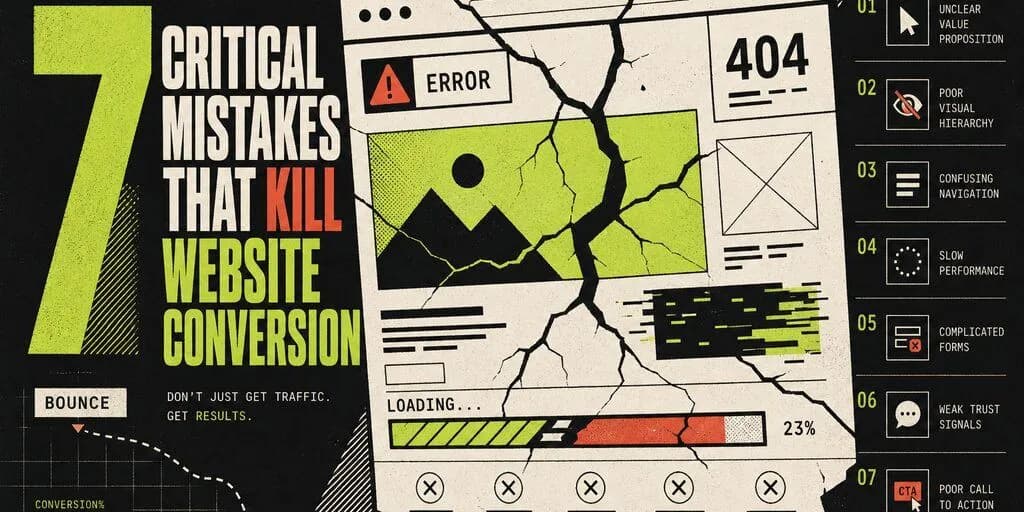
You have a website. You spend money on ads. People visit it. But... they don't call.
The problem is rarely the ads. The problem is the site.
In this article we'll look at the 7 most common mistakes that cost websites customers every day — and how to fix them.
The site loads slowly
You have 3 seconds. Literally.
53% of mobile users abandon a site that takes longer than 3 seconds to load. Every additional second drops conversions by roughly 7%.
Check your site at pagespeed.web.dev. If your score is below 70 — you're losing customers every day.
The most common reasons for a slow site
- ✗Unoptimised images (photos straight from a phone, 3–5 MB)
- ✗Old hosting on a cheap shared server
- ✗Too many plugins (on WordPress)
- ✗No caching
WebP format, switch hosting if needed
and install a cache plugin. The goal is a score of 90+ and load times under 2 seconds.
It's not clear what you do in the first 5 seconds
A visitor lands on your site. They look at it for 5 seconds. If they can't tell exactly what you offer and who it's for — they leave.
If your headline is "Welcome" or just your company name — you have a problem.
Test it yourself
Show the site to a stranger and after 5 seconds ask: "What does this company do?" If they can't answer — you need to change it.
The right formula for a hero headline
[What you do] + [Who it's for] + [What benefit]

Example:
"We build fast WordPress sites for small businesses
 in Bulgaria — ready in 7 days."
No clear call to action (CTA)
The visitor read everything. They like it. And... they don't know what to do next.
Many sites have a contact form somewhere at the bottom of the page. That's not enough.
Every page needs
- ✓One clear, visible button with a concrete action
- ✓The button visible without scrolling (above the fold)
- ✓Specific copy — not "Contact us", but a concrete action with a benefit
Weak vs strong CTAs
| ❌ Weak CTA | ✅ Strong CTA |
|---|---|
| "Contact us" | "Get a free quote in 24 hours" |
| "Learn more" | "See it in action — free demo" |
| "Submit" | "Book a free consultation" |
| "Click here" | "Download the pricing sheet (PDF)" |
No social proof
People don't trust companies. They trust people.
If your site has no testimonials, case studies or client logos, a prospect is wondering: "Has anyone worked with them before me? Are they any good?"
Testimonials
From real clients — with full names, role, company and a photo. Anonymous "John — happy client" doesn't work.
Client logos
Even 5–6 recognisable logos boost trust significantly. Laid out in a row in a visible spot.
Numbers
"50+ projects", "10 years of experience", "98% satisfaction" — concrete and verifiable.
Case studies
A specific client, problem, solution, measurable result. One good case study sells more than 100 generic phrases.
The site isn't optimised for mobile
More than 60% of web traffic in Bulgaria comes from mobile phones.
If your site looks good on desktop but is hard to use on a phone — you're losing more than half of your potential customers.
Check the mobile version
- ✓Is the text readable without zooming?
- ✓Are buttons big enough to tap with a finger (44×44 px minimum)?
- ✓Does the menu work smoothly?
- ✓Are forms easy to fill in — with the right keyboard type?
- ✓Are there elements that overflow the viewport?
Test it personally
Open the site on your phone and go through the full flow — from the landing page to submitting a contact form. If something annoys you — it's annoying your customers too.
No SSL certificate or SSL issues
You've seen the "Site not secure" warning in the browser. How often have you proceeded anyway?
A site without HTTPS loses trust instantly. Google even penalises it in rankings.
Check: is there a padlock (🔒) next to your site's URL?
Additionally — check your SSL configuration at ssllabs.com/ssltest. Aim for an A or A+ rating.
The site doesn't show up in Google
You can have a great site — but if no one finds it, it doesn't bring customers.
SEO is not magic. It's a set of concrete technical and content measures.
The minimum you need
- ✓A unique
titletag on every page with the target keyword - ✓A meta description that makes people want to click
- ✓Google Business Profile (mandatory for local businesses)
- ✓At least 5–10 blog articles with useful content
- ✓A fast site (see Mistake #1)
Quick check
Search Google for: "[your service] [your city]". Do you appear in the top 10? If not — there's work to do.
For 2026 there's a new front: AI search engines (ChatGPT, Perplexity, Google AI Overview). Read how to optimise your site for AI →
Bonus mistake: The site hasn't been updated in years
"Latest news: December 2021."
An outdated site sends the message: "This company is no longer active, or doesn't care about its online presence."
Publishing content regularly shows the business is alive and active — and it helps SEO.
How do you find out which mistakes you have?
You don't need to guess. Here are three free tools you can use today:
PageSpeed Insights — speed and Core Web Vitals
pagespeed.web.dev will show you the speed and concrete recommendations. Target: 90+ on mobile.
Mobile-friendly test
Open the site on a phone and walk through the full flow — landing page, services, contact form. If something annoys you — it's annoying your customers.
The 5-second test with a stranger
Show your site to someone who doesn't know your business. After 5 seconds ask them: "What does this company do? Who is it for? What should I do next?" Their answers tell you what to fix first.
// SINGULARITY EDGE STUDIO
Free SEO and technical audit
If you want a quick diagnostic of your site — we'll check:
- Site speed (Core Web Vitals)PageSpeed report
- Mobile optimisation and UXManual review
- SEO status and Google visibilityOn-page audit
- Technical errors and securityQuick scan
You get a concrete, prioritised list — what to fix first. · SEO + AI services → · Security Audit →
Site not bringing in customers?
30-minute free consultation — we discuss the concrete problems and what can be done about them.
Request a free audit →Conclusion
A website is not a brochure. It needs to actively work on attracting customers.
If you recognise even 2–3 of the mistakes above on your site — you have a concrete reason why you're losing customers every day.
The good news: all of it is fixable.
// TOPICS
Author
Singularity Edge Studio
Engineering studio for web and software — Plovdiv, Bulgaria. We build corporate sites, SaaS, e-commerce, and DevOps infrastructure with a focus on measurable outcomes.
// RELATED FAQ
// MORE ARTICLES
How Images Slow Down Your Website
Images account for up to 70% of page weight on typical websites. Formats, dimensions, compression, lazy loading, and CDN delivery — a complete guide to fixing the biggest speed bottleneck.
Web DevelopmentWordPress or Custom Site — Which Is Faster?
WordPress can be fast — but most WordPress sites are not. Custom Next.js sites score higher by default. An honest performance comparison with real benchmarks, trade-offs, and when each option makes sense.
Web DevelopmentTypeScript — why it became a mandatory standard and what it means for your project in 2026
In 2026, plain JavaScript for a new professional project is already technical debt. How TypeScript cuts bugs, speeds up AI-assisted development, and protects business risk — with examples, migration steps, and a production tsconfig.